
From a saved question to another attempt
A camera roll can hold hundreds of questions without making them easier to practice. MistakeKit brings capture, organization, and worksheet creation into one workflow for students, parents, and teachers preparing their own practice material.
1. Capture or import
Photograph a question or choose existing images from your photo library. Crop to the question, rotate it, and choose Original, Print Optimized, or Black & White output. A manual white brush removes unwanted marks, with undo and restore before saving. It is a manual editing tool, not automatic answer recognition.
2. Organize and choose
Find questions by folder, date, and review status. Select what to practice and give each question the writing space it needs, from a short calculation to a longer explanation.
3. Print and practice
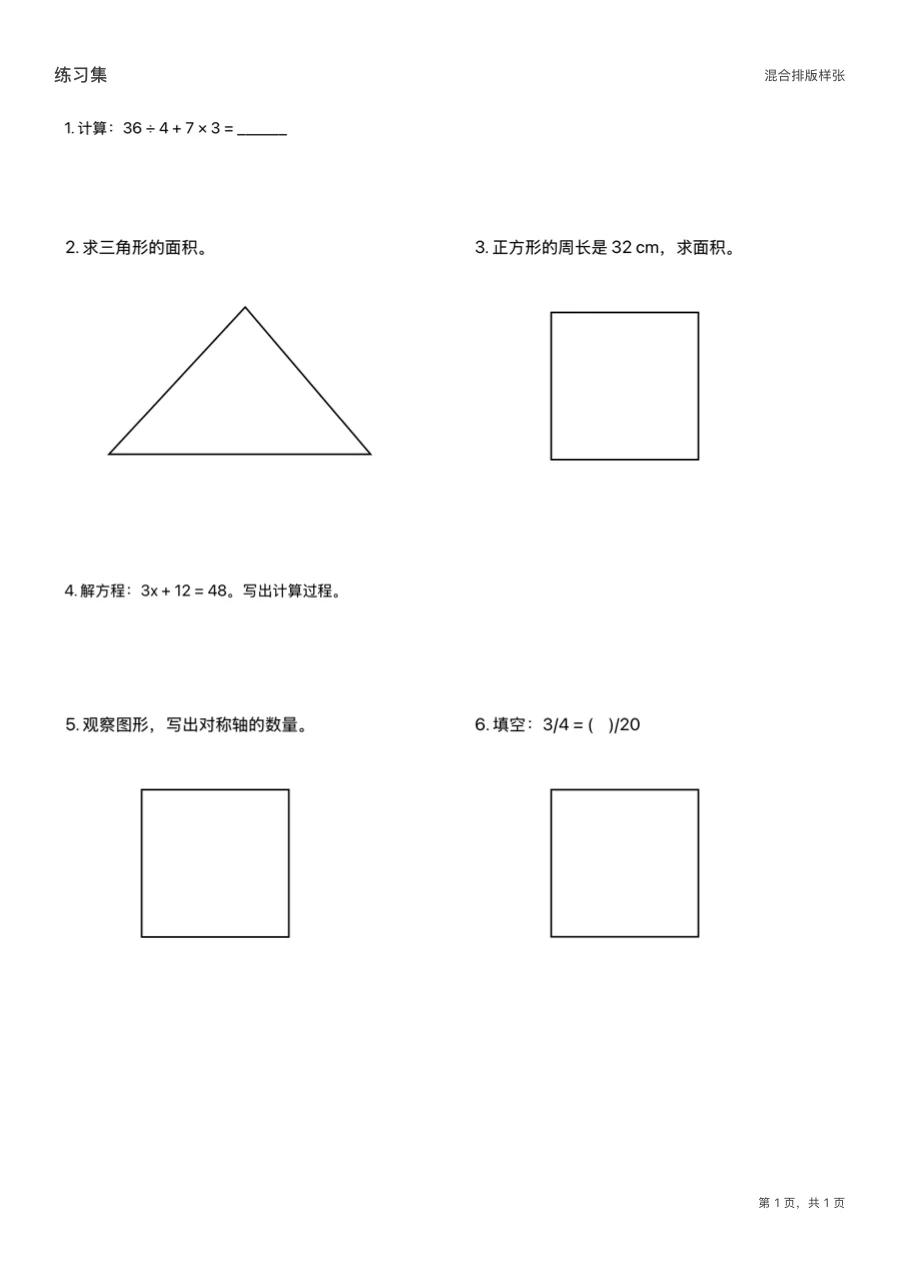
Generate an A4 or Letter PDF, preview it, and print, share, or save a copy. Update review status after doing the work. Opening or sharing a PDF does not automatically mark a question as mastered.
Trial and Pro
A seven-day local trial lets you try PDF creation. After the trial, you can still add, organize, and edit questions, and open, share, or print existing PDFs. Creating new practice PDFs requires a one-time Pro purchase, rather than a monthly subscription. Check the relevant platform’s store for the final price.
Your material stays on your device
No app account or cross-device cloud sync is required. Export PDFs you want to keep to a destination you choose. Privacy and purchase details are explained separately for each platform in the support and privacy pages.
See an actual export
Open the sample A4 practice sheet (PDF). It contains fictional math questions. Text inside imported question images stays in its original language when you change the app language.